Behind the Scenes at Loot Crate. How cool geek and gamer gear ends up on your doorstep!

It’s 11 am on a Wednesday. I’ve pulled up to a non-descript warehouse space in Pasadena, so non-descript I’m not entirely sure at first if I’m in the right place. The sign above the door is from a water treatment company. It’s not until I’ve rounded the parking lot that I see a giant black bus with “LOOTCRATE” painted on the side. Peaking inside the warehouse I see an incredible number of small black boxes stacked up, about ten feet tall, but we’ll talk about that more in a bit.

I’m here to chat with Matthew Arevalo, one of the Co-Founders of Loot Crate. Loot Crate is a subscription box service focusing on geeks and gamers. Each month, for less than $20 after shipping and handing, a small black cardboard crate is delivered to subscribers’ doors filled with various products which might appeal to the geek chic. Previous boxes have had t-shirts, candy, stickers, gaming peripherals, sunglasses, and even a copy of The Zombie Survival Guide. Matthew has invited me in to take a quick peek behind the scenes.

Continue reading “Behind the Scenes at Loot Crate. How cool geek and gamer gear ends up on your doorstep!”

Reddit explains new Terms of Service, responding to user concerns

reddit-alienWho owns what you create online?

In this age of social online services, we produce a lot of content. Every comment, photo, video you share is being stored on a server far away from you. Depending on where you share, you may or may not actually own the media you make. Take Facebook for example, it’s even become popular with Facebook users to post their own legalese renouncing Facebook’s control over their property. Though signing up for Facebook means you agreed to their Terms of Service, and such moves are pretty much bunk (Snopes).

Social news site Reddit recently updated their terms of service, and during any transition, users grow concerned about changes to the platform they invest so much time in. One passage in particular generated a lot of discussion:

Continue reading “Reddit explains new Terms of Service, responding to user concerns”

Another Tech Support Joke infographic from 4chan targets XBox Owner’s PCs

xboxone fake compatibility jokeLet’s just make it a rule that we don’t follow tech support advice from infographic pictures on the internet? Cool?

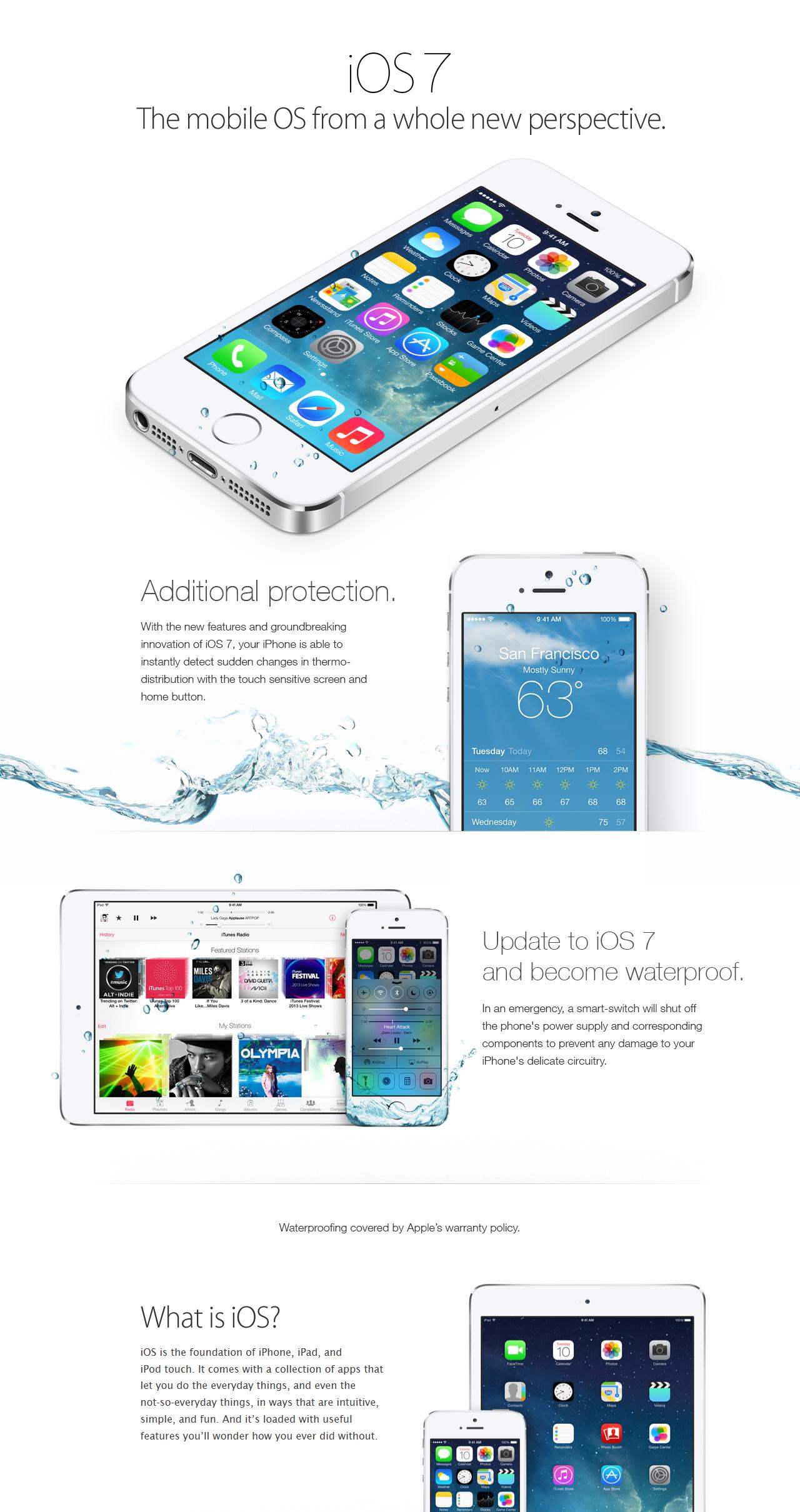
Following some epic pranks, like convincing iPhone owners their phones were now waterproof, sights were set on the XBox One. Backwards compatibility for our consoles is always a sticky subject. Our next gen consoles are not able to play the games of last gen off of the discs in our collection. The desire to do so though can lead people to do some rather silly things. Preying on that desire, a pic circulated detailing a set of instructions  to enable backwards compatibility. Instead following the steps in the pic hard bricked the console. Anyone else find it strange that Microsoft would include such an easy to find auto-destruct sequence? Just me? Ok.

Well now 4chan is following it up with an attempt at wrecking a few PCs. The steps outlined in a new “tech support” pic would have users cut out all the files on their C: drive in an attempt to fix their bricked XBox. Again, preying on people who are JUST tech savvy enough to find these things, but who don’t really understand what they’re doing. Thankfully this joke will probably prove less effective as Microsoft has done a much better job of protecting Windows OS files. You’d have to be an Admin, and savvy enough to disable UAC (Microsoft’s protection software), and if you could do all that, you’d probably know better. Even if you didn’t however, Windows can often re-populate the files.

xbox one joke fix infographic

Microsoft probably got tired of fielding tech support calls from folks who deleted their OS. Even I have an Aunt who once went tearing through Windows 98 and threw out a bunch of “junk” files trying to free up space on her PC.

If you’re reading this blog, chances are you’re smarter than the average bear. It’s that time of year where we’re often tasked with fixing family computers and tech, while doing this, how about we all sit our relatives down again and have a little chat…

Top 5 for the week starting Dec 1st, 2013 – LG G2 news, Batteries, and Cases!

ballistic hydra waterproof case iphone 5s test review somegadgetguyThese were the top read and most shared stories from SomeGadgetGuy last week! LG ruled the week, but we also got in a few accessories. Nice little round up as we wrap up 2013 and the holiday buying season!

Let’s jump in!

5 – Using a Ballistic Hydra Rugged case for iPhone 5 on an iPhone 5S

The nice thing about how Apple updates the iPhone with a tick-tock system, cases for the iPhone 5 largely work with the iPhone 5S. If you’ve been looking for a rugged case for the 5S, this waterproof case might do the trick!

4 – Review: Ravpower Lipstick Charger and Flashlight

003This week, Chris took a look at a handy little portable charger + flashlight combo. RAVPower has become a favorite here at SGG, offering up very good mobile charging solutions at great prices. Looking to extend your phone’s run time out in the field, maybe this gadget will help?

3 – Ask Juan: Why won’t my Moto X show up as a USB drive on my Mac?

An opportunity to play a little tech support? On a tech blog? Who’d have thunk it? Robin has a problem with his Moto X and his Mac playing nice together. Seems this is a pretty common problem seeing how popular this post was last week…

2 – Real World Battery Test: The LG G2 – 47 hours to “Critically Low”

LG G2 Camera reviewI don’t do a lot of battery bench marking. It’s very time consuming, and usage is very relative. What’s heavy to one person is light use for another.  That said, when a phone comes along with exceptional battery life, I at least need to point out how it handled real world activities.

1 – Camera Test: The LG G2 on AT&T – video samples from a 13MP Android with Optical Image Stabilization!

And the number one story from last week was a doozy! LG made some pretty bold claims surrounding the camera on the G2. It’s only the second Android with optical image stabilization, and it has three times the resolution as the HTC One. Did the G2 camera live up to the hype?

We’re nothing without you readers, and we certainly can’t compete against the big blogs by ourselves. We always greatly appreciate not only the likes, but the sharing on social sites like Google Plus, Twitter, Facebook, and Reddit. The more we get to talk with other tech fans, the better we get, and soon we’ll be able to reward that participation with some fun contests coming up soon!

Thanks for reading, and if you feel we missed a big story this week, or you have a hot tip, please drop us a line on our Contact Page!

Ask Juan: Now that I own an RT tablet, will Windows RT disappear?

lumia 2520 20Just got this question from a reader. Jim asks:

As a recent purchaser of a Nokia Lumia 2520 tablet I am starting to get a little concerned about Windows RT folding or at least developers not making apps. Is this real and if so what does that mean for my tabby?

Hey Jim! First of all congrats on the Lumia! It was my Windows Tablet pick of the year!

So here’s the deal.

Windows RT as we know it today probably wont stick around long, and as the owner of a 2520 this is a good thing for you…  Continue reading “Ask Juan: Now that I own an RT tablet, will Windows RT disappear?”

Windows 8 Phone Tip and Trick: Custom lock screen photo

Each of us have our own unique sense of style. We customize our phones to match our style with ringtones, cases and wallpapers. Today I am going to show you how to make your own wallpaper for your Windows 8 phone. If you are handy with photoshop this will be a breeze along with newbies.044

As much as I love cupcakes, this lock screen image just isn’t going to do it for me. I need something else like the background picture for www.somegadgetguy.com banner! Take a sip of coffee and let’s get started!

Step 1: You will need a pc or mac with photoshop or a photo editing software. Today I will be using photoshop. Continue reading “Windows 8 Phone Tip and Trick: Custom lock screen photo”

Ask Juan: Why won’t my Moto X show up as a USB drive on my Mac?

surface connected to lg g2 file management transfer somegadgetguyFrom our Facebook page, Robin asks:

Here’s a question relating to Android… When I plug my Moto X into my Windows PC using the supplied USB cable, it shows up as a storage device and I can copy stuff to/from it with no problems. But when I plug it into a USB port on my wife’s MacBook Pro, it’s not even recognized as a device. How can I access my Moto X from Mac OSX?

Hey Robin,

It’s because Apple can be frustrating about supporting standards like MTP. Apple refuses to natively support the USB Media Transfer Protocol. It’s how you can plug your phone into a PC and see files on your phone and computer at the same time.

There are two different ways to share files between a phone and computer, MTP and Mass Storage. If you use Mass Storage, the storage on your phone becomes a standalone drive for your computer, and your phone will no longer be able to see any of those files. That was fine during the Windows Mobile and early Android days. You’d plug in your phone, and it would essentially become a dead lump of a USB drive. Now though, we don’t want to lose access to our precious communication tools, even for a brief file transfer. That’s why Android and Windows Phone now utilize MTP. It comes with some drawbacks like slower file transfers, and you can only move one file at a time, but your phone wont be separated from its storage while connected to a computer. Given the trade off, I’d rather be able to connect my phone to my computer, and still being able to use it as a normal phone with all of my files and apps intact.

The iPhone just doesn’t work that way, so Apple doesn’t feel any great pressure to support other mobile device file management protocols. As far as they’re concerned you should be using iOS and iTunes.

Google did release an Android file manager program for Mac users which might work for you – http://www.android.com/filetransfer/

If that doesn’t work you might need to look at cloud solutions. The nice thing about Android, it’s silly easy to move files on and off via services like Google Drive, Box, and DropBox.

You could also do a local network sync via an app like AirSync –http://www.doubletwist.com/airsync/ or Air Droid – http://www.airdroid.com/ which will use your home WiFi network. It wont be as fast as a cable connection, but it’ll be faster than Bluetooth. 

But yeah. Short story long, this is basically Apple’s fault.

Google confirms camera RAW support is coming to Android. So what’s that mean?

htc one mini camera test video samples somegadgetguyBlah blah blah abstraction layer… Herp derp blerp API’s…

Long story short, Google is trying to improve the software / hardware relationship our smartphone cameras rely on. This should expand the tool set developers have at their disposal when making photo and video services. Google specifically is discussing better multi-shot tech which should improve sport and burst modes and deliver more flexible HDR settings. An HDR photo depends on a series of pics taken quickly at different exposures. Other smart modes could be improved too, like the ability to take a series of shots to remove distracting elements from your photos.

All well and good from a consumer app-y position, but the idea of delivering RAW files could be really interesting for people who really want to control their photo output, even from their phones.

Continue reading “Google confirms camera RAW support is coming to Android. So what’s that mean?”